


Blackmagic Ultimatte Smart Remote 4 G2
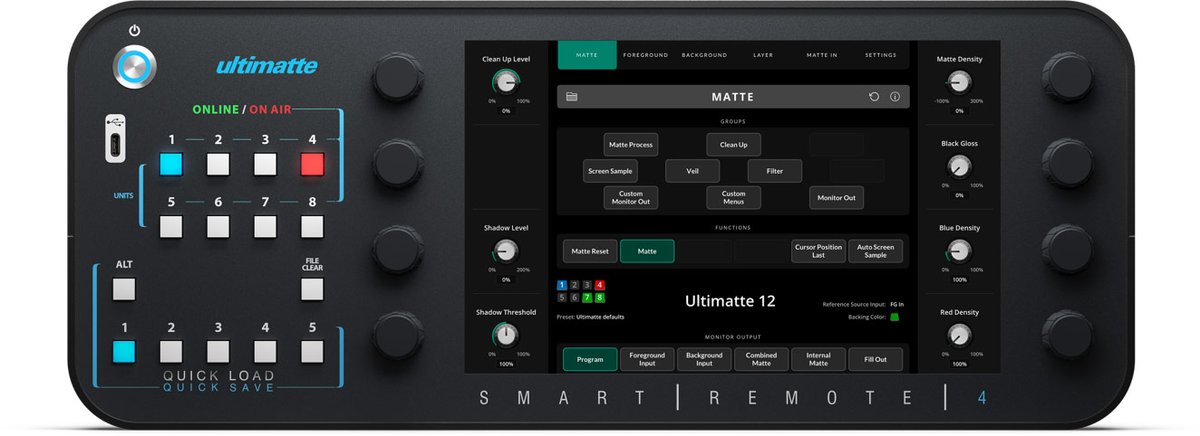
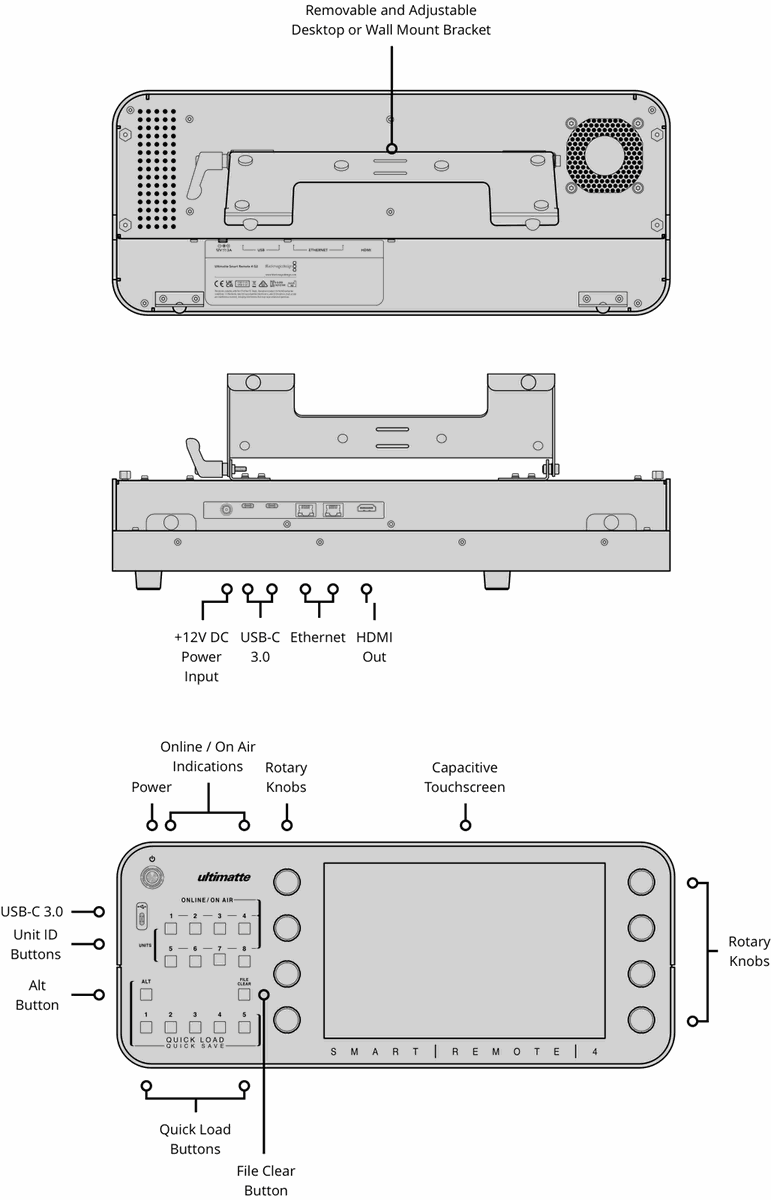
The Ultimatte Smart Remote 4 G2 gives an operator hands-on control of up to 8 Ultimatte 12 units at once over a standard Ethernet connection, so a keying operator doesn't have to touch a computer to adjust a shot. Its 10.1-inch touchscreen shows live status and settings, while 8 illuminated unit ID buttons let the operator jump between cameras instantly, with LEDs showing which units are online and which are currently on air.
Eight rotary knobs give tactile control over spill suppression, edge treatment, and other keying parameters without hunting through touchscreen menus, and dedicated quick load/save buttons recall presets between shots. Connectivity includes 2 Gigabit Ethernet ports for linking to the Ultimatte units and a network, 3 USB-C 3.0 ports (2 rear, 1 front) for peripherals and power delivery, and an HDMI output for feeding a secondary monitor at up to 1080p60.
- Storage Temperature-20° to 60° C (-4° to 140° F)
- HDMI Video Outputs1 (1080p60)
- Power Usage24W max
- Rotary Knobs8 x rotary knobs for adjusting parameters.
- Unit ID Buttons8 x buttons. Illuminated blue for active.
| Part Number | BMD-ULTMSMTREM4G2 |
|---|---|
| Video Outputs | 1 (1080p60) |
| Computer Interface | 2 x Rear USB-C 3.0 for connecting external mouse and keyboard to enable Smart Remote control, and for attaching USB-C storage devices to load still images, save/load presets and save/load archives. 1 x Front USB-C 3.0 provides all the same functionality as the rear USB-C ports, plus the ability to connect Mac or PC for software updates and configuration using the Ultimatte Setup utility. All USB-C ports support power delivery to connected devices. |
| Ethernet | 2 x 10/100/1000 Mbps Ethernet ports for connecting to LAN networks to control of the Ultimatte 12 and to perform software updates using the Ultimatte Setup utility. |
| Rotary Knobs | 8 x rotary knobs for adjusting parameters. |
| Unit ID Buttons | 8 x buttons. Illuminated blue for active. |
| Unit ID LED Indicators | Illuminated green for online and red for on air. |
| Alt + Quick Load/Save Buttons | Alt button plus 5 buttons for saving presets. |
| Quick Load/Save Buttons | 5 x buttons for loading presets. |
| File Clear Button | 1 x button for Auto Key. |
| Alt + File Clear | Alt button plus file clear button for Auto Key using some user defined presets. |
| Customizable Menus | 4 x menus for building your own menu with your most used controls. |
| LED Control | User adjustable brightness control for LEDs. |
| Software Updates | Software updates via USB or Ethernet connection using Ultimatte Setup utility. |
| Touchscreen | 10.1 inch 1280 x 800 colour display panel. Integrated capacitive touchscreen with onscreen controls for settings and navigating menus. |
| Operating Systems | Mac 15.0 Sequoia, Mac 26.0 Tahoe or later. Windows 11 |
| Power Supply | 1 x Locking 5.5mm barrel +12V DC power input for external power supply or battery use. |
| Power Usage | 24W max |
| Physical Installation | Adjustable desk mounting option. Rack mount ears included for installing the Smart Remote into a 19 inch rack. |
| Operating Temperature | 0° to 40°C (32° to 104°F) |
| Storage Temperature | -20° to 60° C (-4° to 140° F) |
| Relative Humidity | 0% to 90% non-condensing. |
| What's Included | Ultimatte Smart Remote 4 G2; Universal 36W external power supply with locking connector and international adapters; Welcome wallet with QR code for software download |
| Source | Full specifications on blackmagicdesign.com |