


Vectorscopes: What They Show and Which One to Buy
A waveform monitor shows how bright the picture is. A vectorscope shows its colour: how strong each colour is and whether the picture carries a tint. These are the scopes we sell with one built in.
The 6 Picks
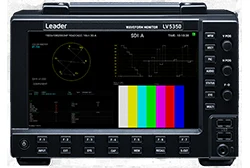
Specs
- Display
- 7-inch touch screen
- Notable
- Mounting: Benchtop; LR2530 adapter racks two
- Use it for
- On-set and edit-bay checks, with DC input and an optional battery mount. It can work away from a wall outlet.
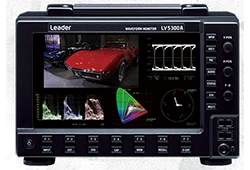
Specs
- Display
- 7-inch touch screen
- Notable
- Mounting: Benchtop; LR2530 adapter racks two
- Use it for
- A rack or a desk, SD through 12G-SDI. One scope covers older and newer formats.
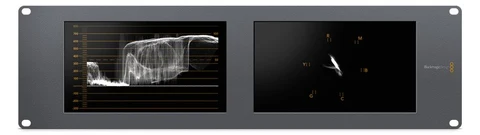
Specs
- Display
- Two 8-inch screens
- Notable
- Rack size: 3RU
- Use it for
- Vectorscope, waveform, RGB parade, histogram or audio phase on either screen. Two screens let you watch two scopes at once.
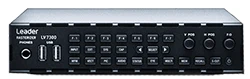
Specs
- Display
- External monitor
- Notable
- Rack size: 1U half-rack
- Use it for
- A control room that already has a monitor wall.

Specs
- Display
- External monitor
- Use it for
- Leader rasterizer: the scopes appear on a monitor you supply.
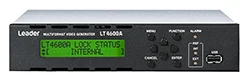
Specs
- Use it for
- Colour bar generator: 75% and 100% bars on 3G, HD and SD-SDI to line up any scope. That lets you check the scope before trusting any camera.
What Matters
The vectorscope plots the intensity of the colours in the signal. A neutral picture sits at the centre. If the video has a colour tint, the blacks move off centre, which makes the tint easy to see and remove. The scope shows this even when the monitor or the room lighting fools the eye.
Play colour bars into the scope and adjust chroma and hue until each bar lands inside its square box on the graticule. Leader scopes let you set the scale for 75% or 100% bars, so match it to the bars you are sending. Each bar has a known colour, so landing in its box shows chroma and hue are right.
Leader vectorscopes switch between ITU-R BT.601, BT.709, BT.2020 and DCI scales, with x1, x5 and IQ-MAG gain. Each standard defines the colours differently, so the wrong scale puts correct bars outside their boxes.
The LV5300A and LV5350 have their own 7-inch touch screen and sit on a bench; the LR2530 adapter racks two. The LV7300 is a 1U half-rack rasterizer and the LV7600 a rasterizer, both drawing the scopes on a monitor you already have. Choose by where you work: a built-in screen suits a bench or set, a rasterizer suits a room that already has monitors.
Bars from a camera or a tape tell you about that source. The LT4600A generator puts out 75% and 100% colour bars on SDI, so you can check the scope and the signal path on their own. A known signal helps because a bar that lands wrong then points at the scope or the path, not the source.
Questions
Checking colour. It shows how strong the colours in a signal are, lets you line up chroma and hue against colour bars, and shows a colour tint as blacks sitting off centre. That helps because colour errors are hard to judge by eye.
Inside the target boxes on the graticule. Set the scope for 75% or 100% bars to match the bars you are sending, and pick the colour standard the signal uses (BT.601, BT.709, BT.2020 or DCI). Each bar has a known colour, and the wrong scale puts correct bars off their boxes.
Questions? Talk to a Person.
Call (201) 791-1400 or email [email protected] - we've handled pro audio & video since 1988.