


Shop All Canon
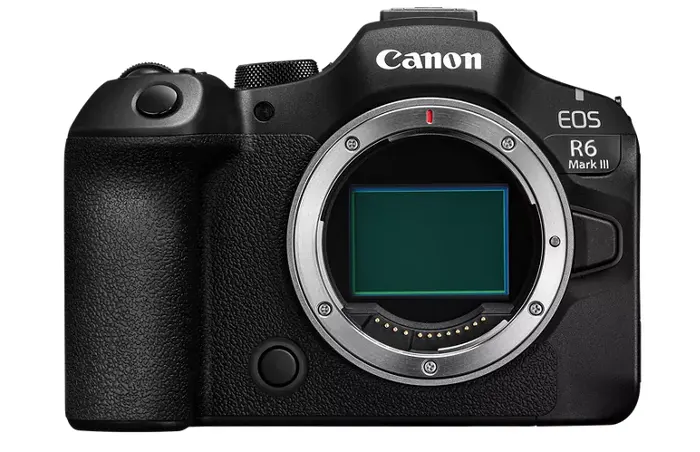
Canon EOS R6 Mark III RF24-105mm F4-7.1 IS STM Kit
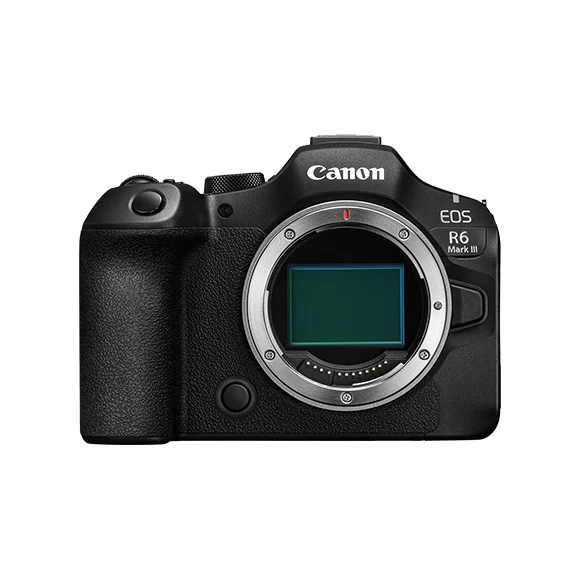
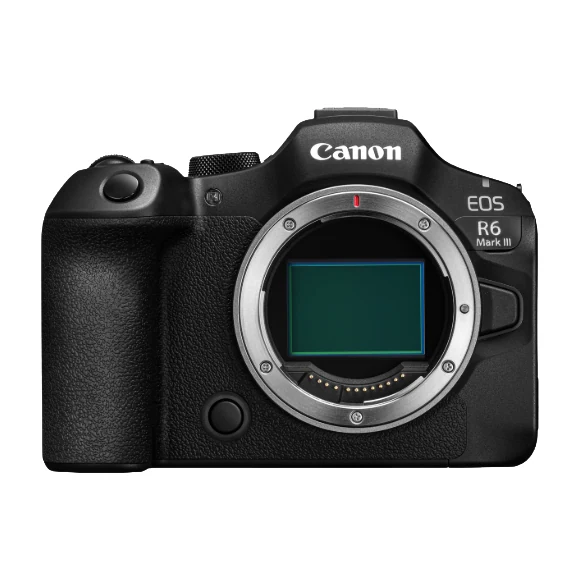
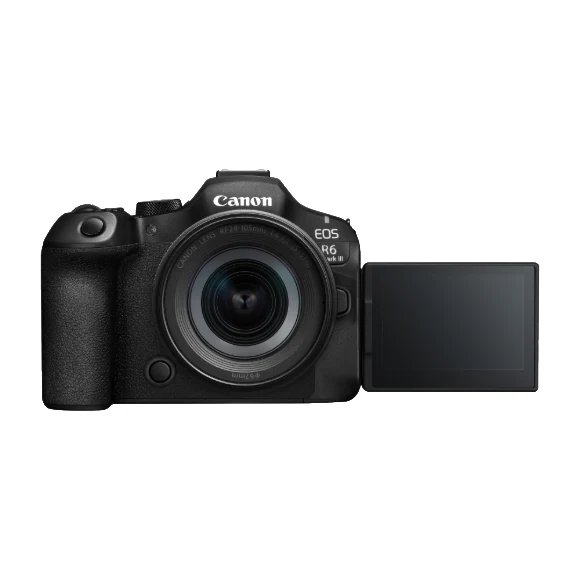
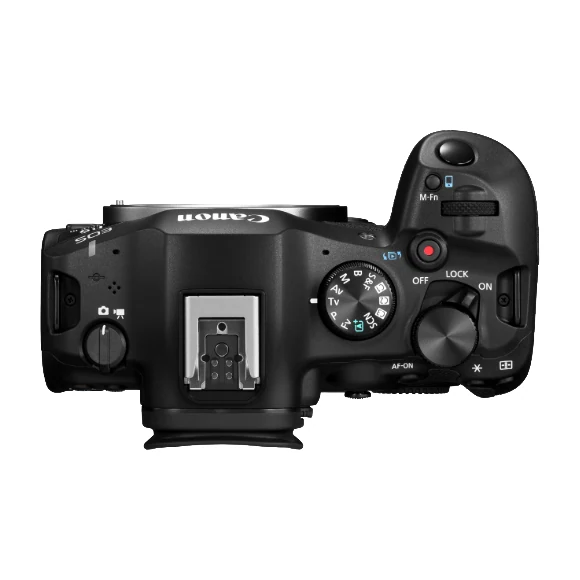
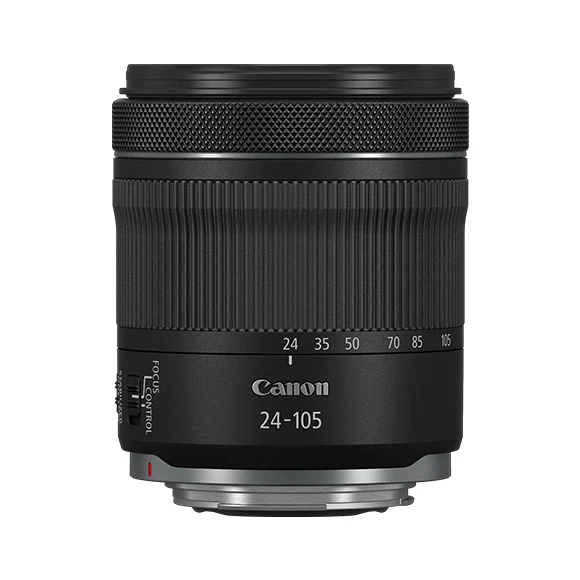
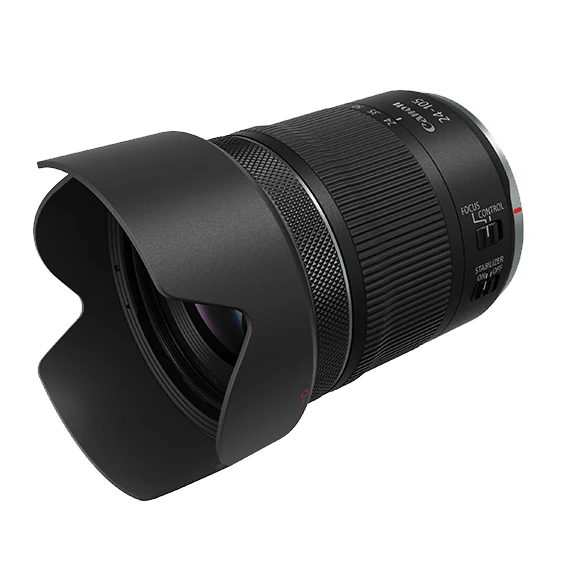
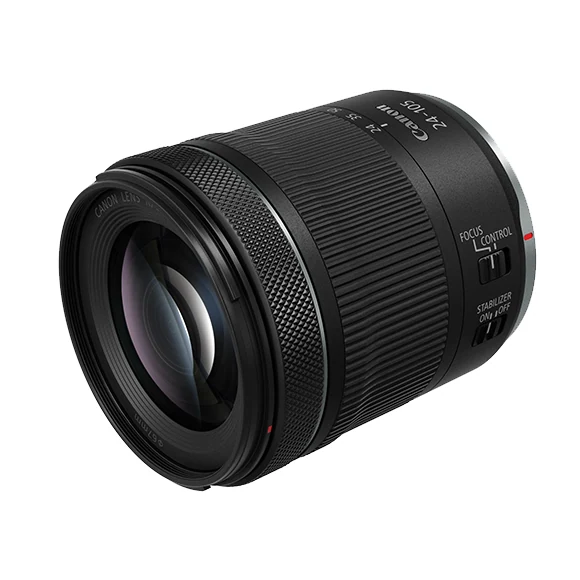
This kit bundles the EOS R6 Mark III with the RF24-105mm F4-7.1 IS STM, a light stabilized zoom that reaches from wide-angle to short telephoto. The body carries a 32.5-megapixel full-frame CMOS sensor and DIGIC X processor, shoots up to 40 frames per second with pre-continuous capture, and tracks subjects with Dual Pixel CMOS AF II down to EV -6.5.
Video runs to 7K RAW Light internally up to 60p, oversampled 4K up to 60p, and 4K up to 120p, with in-body stabilization rated to 8.5 stops. The box holds the EOS R6 Mark III body, RF24-105mm F4-7.1 IS STM lens, camera cover R-F-5, strap ER-EOSR6 Mark III, battery charger LC-E6, LP-E6P battery pack, battery cover, and lens caps. Canon part number 7084C018.
- Screen SizeApprox. 36.0 x 24.0 mm
- Dimensions (W x H x D)Approx. 5.45 x 3.87 x 3.48 in. / 138.4 x 98.4 x 88.4mm
- Connection Method(1) Camera access point mode; (2) Infrastructure mode
- Time-lapse Playback Frame Rate2 min. at 29.97 (set to NTSC)
- Dioptric Adjustment RangeApprox. -4.0 to + 2.0 m-1 (dpt)
| Type | Digital interchangeable lens, mirrorless camera |
|---|---|
| Image Processor | DIGIC X |
| Recording Media | Card 1: CFexpress memory card; Type B: Card slot; CFexpress 2.0 and VPG400 supported; Up to 2 TB is supported (a card exceeding 2 TB is handled as a card of 2 TB). Card 2: SDXC/SDHC/SD memory card Compatible with UHS-II; Eye-Fi cards and MultiMediaCards (MMC) not supported |
| Compatible Lenses | Canon RF lens group (including RF-S lenses) when using Mount Adapter; EF-EOS R: Canon EF or EF-S lenses (excluding EF-M lenses) |
| Lens Mount | Canon RF mount |
| Image Sensor: Type | Full-frame CMOS sensor (compatible with ) |
| Effective Pixels | Approx. 32.5 megapixels |
| Screen Size | Approx. 36.0 x 24.0 mm |
| Pixel Unit | Approx. 5.16 µm square |
| Total Pixels | Approx. 34.2 megapixels |
| Aspect Ratio | 3:2 (Horizontal: Vertical) |
| Color Filter System | RGB primary color filters |
| Low Pass Filter | Installed in front of the image sensor, non-detachable |
| Dust Deletion Feature | (1) Self Cleaning Sensor Unit; Removes dust adhering to the low-pass filter. At power off only / Enable / Disable. Performed automatically (taking about approx. 2 sec. as indicated on the screen) or manually (taking about approx. 8 sec. as indicated on the screen). After manually activated cleaning, the camera will automatically restart (Power OFF to ON). When [Multi Shot Noise Reduction], [Multiple exposures], or [HDR mode] is set, [Clean now] and [Clean manually] cannot be selected. (2) Dust Delete Data acquisition and appending; The coordinates of the dust adhering to the low-pass filter are detected by a test shot and appended to subsequent images. The dust coordinate data appended to the image is used by the EOS software to automatically erase the dust spots. Not available with RF-S/EF-S lenses, in cropped shooting, during focus bracket shooting, in FAW burst mode, or multiple-exposure shooting. (3) Manual cleaning (by hand) |
| Recording Format | Compliant to Design rule for Camera File system 2.0 and Exif 3.00*. *Supports time difference information in Exif 3.00. |
| Image Format | JPEG, HEIF, RAW / C-RAW / Dual Pixel RAW/ RAW burst (CR3), C-RAW (Canon original); Movies: ALL-I (Time-lapse video only), IPB (MP4) |
| File Numbering | The following file numbers can be set: 1. File numbering methods; Continuous numbering: The numbering of captured images continues even after you replace the card. Auto reset: When you replace the card, the numbering will be reset to start from 0001. If the new SD card already contains images, the numbering will continue from the last recorded image in the card. 2. Manual reset; Resets the file number to 0001, and creates a new folder automatically. |
| RAW + JPEG / HEIF Simultaneous Recording | Simultaneous recording of any combination of RAW/C-RAW and JPEG/HEIF image-recording quality is supported. |
| Color Space | Selectable between sRGB and Adobe RGB |
| Picture Style | (1) Auto; (2) Standard; (3) Portrait; (4) Landscape; (5) Fine Detail; (6) Neutral; (7) Faithful; (8) Monochrome; (9) User Defined 1-3; In Scene Intelligent Auto, [Auto] will be set automatically. [Standard] is the default setting for [User Def. 1-3]. |
| Settings | (1) Auto (Ambience priority/White priority); (2) Daylight; (3) Shade; (4) Cloudy1; (5) Tungsten light; (6) White fluorescent light; (7) Flash; (8) Custom (Custom WB); (9) Color temperature1; (10) Color temperature2; (11) Color temperature3; (12) Color temperature4; 1 Effective also in twilight and sunset. * White balance can be adjusted during movie recording; * Color temperature 1-4 can be switched with [Customize buttons for shooting: Switch color temperature]. |
| Auto White Balance | Option between ambience priority and white priority settings, using SET button |
| White Balance Shift | Blue/amber bias: ±9 levels; Magenta/green bias: ±9 levels; Shifted from the color temperatue of the current WB mode. Blue/amber and magenta/green shift can be set at the same time. WB Bracketing available, up to ±3 levels Blue/amber or magenta/green, via Quick Control Dial |
| Viewfinder: Type | OLED color electronic viewfinder; 0.5-inch, approx. 3.69 million dots |
| Viewfinder: Coverage | Approx. 100% vertically and horizontally relative to the shooting image area (with image quality L 3:2, at approx. 23mm eyepoint). |
| Magnification / Angle of View | Approx. 0.76x / Approx. 35.2 degrees (with 50mm lens at infinity, -1 m-1) |
| Eye Point | Approx. 23mm (at -1 m-1 from the eyepiece lens end) |
| Dioptric Adjustment Range | Approx. -4.0 to + 2.0 m-1 (dpt) |
| Viewfinder Information | 1. Maximum burst; 2. Possible shots/Sec. until self-timer shoots; 3. Focus Bracketing/ Multiple-exposure/HDR shooting/Multi Shot Noise Reduction/Bulb time/Interval timer; 4. Shooting mode; 5. AF method; 6. AF operation; 7. Image quality; 8. Card; 9. Drive mode; 10. Metering mode; 11. No. of remaining shots for focus braketing, multiple exposures, or interval timer; 12. Electronic level; 13. Movie recording time available; 14. Battery level; 15. Image Stabilizer (IS mode); 16. Histogram (Brightness/RGB); 17. Quick Control button; 18. Anti-flicker shooting; 19. White balance/White balance correction; 20. Picture style; 21. Auto Lighting Optimizer; 22. Still photo cropping / Aspect ratio; 23. AF point (1-point AF); 24. AEB/FEB; 25. View Assist; 26. HDR PQ; 27. Flash ready / FE lock / High-speed sync; 28. Electronic shutter; 29. Touch shutter / Create folder; 30. AE lock; 31. Shutter speed / Multi-function lock warning; 32. Aperture value; 33. Wi-Fi® function; 34. Wi-Fi® signal strength; 35. Bluetooth® function; 36. Exposure simulation; 37. Magnify button; 38. ISO speed; 39. Highlight tone priority; 40. Exposure compensation; 41. Exposure level indicator |
| Focus Method | Dual Pixel CMOS AF |
| Number of AF Zones Available for Automatic Selection | AF area: Horizontal: Approx. 100% x Vertical: Approx. 100% (100% x 100% AF coverage in Face Detect + Tracking AF; coverage can vary, depending upon lens being used); Stills: Max. 1053 zones (39 x 27); Movies1: Max. 897 zones (39 x 23); * May vary depending on settings. 1 : When 4K DCI Fine / 4K DCI is set. |
| Selectable Positions for AF Point | AF area: Horizontal: Approx. 90% x Vertical: Approx. 100%; Stills: Max. 6097 positions (91 x 67); Movies: Max 4641 positions (91 x 51); * When set to [1-point AF] and selected using the Multi-controller. * Values for the selectable positions for AF points do not represent AF performance. * When 4K DCI Fine / 4K DCI is set. |
| Focusing Brightness Range (still photo shooting) | EV -6.5 to 21 (with an F1.2 lens*, center AF point, One-Shot AF at room temperature, and ISO 100); * Except RF lenses with a Defocus Smoothing (DS) coating. |
| Focusing Brightness Range (movie recording) | 4K: EV -4.0 to 21 Full HD: EV -4.5 to 21 (with an F1.2 lens,* center AF point, One-Shot AF at room temperature, ISO 100, and 29.97 / 25.00 fps.); * Except RF lenses with a Defocus Smoothing (DS) coating. |
| Available AF Areas | Spot AF; 1-point AF; Expand AF area: Above/below/left/right; Expand AF area: Around; Flexible Zone AF 1; Flexible Zone AF 2; Flexible Zone AF 3; Whole area AF |
| Available Subject Detection | Auto; People; Animals (dogs / cats / birds / horses); Vehicles (motorsports cars or motorcycles / aircraft / trains); * Certain types of animals or vehicles may not be detected, depending on shape and appearance |
| Eye Detection | Auto: 1. Selects the eye closer to the camera (as detected from the angle of the face). 2. At the same distance from the camera, selects the eye closer to the center of the image. Manual; Can be selected by touch. Can be selected with Multi-controller. |
| Metering Modes | Real-time metering from CMOS image sensor (384 [24x16] metering zones); 1. Evaluative metering (AF point-linked); 2. Partial metering (approx. 6.2% of the area at the center of the screen); 3. Spot metering (approx. 2.9% of the area at the center of the screen); 4. Center-weighted average metering |
| Metering Range | EV -3 - 20 (at 73°F/23°C, ISO 100) (Still Photo Shooting) |
| Exposure Modes | 1. Scene Intelligent Auto; 2. Hybrid Auto; 3. Special Scenes; 4. Creative Filters; 5. Flexible-priority AE; 6. Program AE; 7. Shutter-priority AE; 8. Aperture-priority AE; 9. Manual Exposure; 10. Bulb Exposure; 11. Custom Shooting Modes C1, C2, C3 |
| ISO Speed Range | Manually Set; For [Highlight tone priority], the settable ISO speed range will be ISO 200 to 102400. Expanded ISO cannot be set for HDR mode or during HDR PQ shooting. ISO Auto range settings in still photo shooting; 1 ISO 200 when set to [Highlight tone priority: Enable/Enhanced]. 2 Varies depending on the [Maximum] and [Minimum] settings for [Auto range]. 3 If outside the setting range, changed to the value closest to ISO 400. |
| AE Lock | (1) Auto AE lock; AE is locked as soon as subjects are in focus using One-Shot AF when set to selected metering mode in [C.Fn2: AE lock meter. mode after focus]. (2)User-set AE lock; Use the AE lock button (update by pressing the button again) in Fv, P, Tv, Av, and M mode. Enabled in all metering modes.9 |
| Shutter: Type | Electronically controlled focal-plane shutter; 1. Electronic first curtain; 2. Mechanical shutter; 3. Electronic shutter*; * Cannot be used in conjunction with the following functions: flash photography, HDR shooting, multiple exposures, Multi Shot Noise Reduction, AEB, HDR PQ, anti-flicker shooting, Dual Pixel RAW shooting, Digital Lens Optimizer [High]. * A shutter release sound is not generated. However, note that the sounds other than the shutter release sound (aperture, focusing lens drive sound/electronic sound, etc.) may be generated. * In electronic shutter shooting under conditions such as flash firing by other cameras or with fluorescent lighting or other flickering light sources, a strip of light or banding due to the brightness difference may be recorded in the image. |
| Shutter Speeds | Mechanical / 1st-curtain Electronic shutter: 1/8000th sec - 15 seconds, in 1-step increment; Electronic shutter: 1/16000th sec - 15 seconds, in 1-step increments |
| X-Sync Speed | Mechanical Shutter: 1/200 sec. Elec. 1st-curtain: 1/250 sec. |
| Shutter Release | Soft-touch electromagnetic release |
| Self Timer | 10-sec. delay, 2-sec. delay |
| Still Photo IS | In-body IS operation can be selected when using a non-IS lens. Always on; Only for shot (no stabilization in viewfinder/LCD screen between shots); Coordinated IS when used with Canon RF or RF-S lenses having optical Image Stabilization |
| Accessory Shoe | Canon Multi-function accessory shoe Optional Canon AD-E1 adapter required for conventional shoe-mount flashes and accessories |
| E-TTL Balance | Ambience priority, standard, flash priority |
| Flash Exposure Compensation | ±3 stops in 1/3- or 1/2-stop increments |
| Continuous Flash Control | E-TTL each shot / E-TTL 1st shot |
| HDR Shooting (HDR PQ) | Disable / Enable |
| Continuous HDR Shooting (still images) | 1 shot only / Every shot |
| Video AF | Dual Pixel CMOS AF; Movie Servo AF available in AF Menu |
| Exposure Compensation | ±3 stops in 1/3- or 1/2-stop increments |
| Time Code | Yes (Count up, Start time setting, Movie recording count, Movie play count, time code on/off, HDMI rec. command on/off, Drop frame enable/disable) |
| Movie Pre-Recording (On/Off) | 3 or 5 seconds; user-selectable |
| Time-Lapse Movie Setting | Interval 2 sec - 99:59:59; Number of frames 2-3,600; Movie recording size 4K/Full HD; Auto exposure fixed @ first frame/auto for each frame; Beep per frame recorded (volume setting 0/silent - 5) |
| Time-Lapse Playback Frame Rate | 2 min. at 29.97 (set to NTSC); 24 sec. at 25.00fps (set to PAL) |
| LCD Screen: Type | TFT color, liquid-crystal monitor |
| Monitor Size | 3.0-inch (screen aspect ratio of 3:2) 2.95 in./7.5cm diagonal; (2.44 in./6.2cm width, 1.65 in./4.2cm height) |
| Dots | Approx. 1.62 million dots |
| LCD Screen: Coverage | Approx. 100% vertically/horizontally at L 3:2 |
| Brightness Control | Manually adjustable to one of seven brightness levels |
| Touch-Screen Operation | Supported for AF Point selection; Touch AF; Touch Shutter; Menu selection; Quick Control Menu; Magnified view |
| Coating | Clear View LCD II; Anti-smudge coating applied. Anti-reflection coating not applied. |
| Interface Languages | 29 (English, German, French, Dutch, Danish, Portuguese, Finnish, Italian, Ukraine, Norwegian, Swedish, Spanish, Greek, Russian, Polish, Czech, Hungarian, Vietnamese, Hindi, Romanian, Turkish, Arabic, Thai, Simplified/Traditional Chinese, Korean, Malay, Indonesian, Japanese) |
| Highlight Alert | White areas without image data blink in single-image display |
| Histogram | Brightness and RGB |
| Function | The Quick Control screen can be accessed by pressing the Quick Control button during shooting, recording, or playback. |
| Quick Control Screen | The following settings are available for the [Quick Control screen] during movie recording. View 1: Conventional Quick Control screen; View 2: Cinema EOS-style Quick Control screen |
| Protection | (1) Single image (select image); (2) Select range; (3) All images in a folder; (4) All images on card; Image browsing and image search can be based on ratings. Ratings-based image selections also possible with DPP. (5) All found images (only during image search) |
| Erase | Except protected images; (1) Select images to erase; (2) Select range; (3) All images in folder; (4) All images on card; (5) All found images (only during image search) |
| Compatible Printers | Not supported |
| DPOF | Compliant to DPOF Version 1.1 |
| Supporting Standards | Equivalent to IEEE 802.11 b/g/n/a/ac Standards |
| Wi-Fi®: Transmission Method | DS-SS modulation (IEEE 802.11b); OFDM modulation (IEEE 802.11g/n/a/ac) |
| Transition Frequency (Central Frequency) | 2.4 GHz band Frequency: 2412 to 2462 MHz; Channels: 1 to 11 channels; 5.0 GHz band Frequency: 5180 to 5825 MHz; Channels: 36 to 165 channels1 |
| Connection Method | (1) Camera access point mode; (2) Infrastructure mode |
| Communication with a Smartphone | Images can be viewed, controlled, and received using a smartphone. Remote control of the camera using a smartphone is possible depending on the Camera Connect specifications. Images can be sent to a smartphone. NFC connection: Not supported; Supported images: JPEG, HEIF, RAW/C-RAW, MP4 video files; Transcoding while sending: Size to send (original / reduced size); Quality to send (original / compressed) |
| Remote Operation Using EOS Utility | The camera can be controlled via Wi-Fi® or USB, with Canon EOS Utility software installed in a compatible Mac or Windows computer. |
| Print from Wi-Fi® Printers | Not supported. |
| Send Images to a Web Service | Image.canon: Video files (MP4) and JPEG, HEIF, RAW or C-RAW still images can be uploaded to image.canon servers. From image.canon, images can be sent to specific social media and 3rd-party cloud image services. |
| Standards Compliance | Bluetooth Specification Version 5.1 compliant (Bluetooth Low Energy technology) |
| Bluetooth®: Transmission Method | GFSK modulation |
| Bluetooth Pairing | Smartphone - up to 10 devices; BR-E1 remote controller - 1 unit |
| Available Functions | Dial direction during Tv/Av; Control ring rotation direction; Customize buttons; Customize dials |
| USB Terminal | Equivalent to SuperSpeed USB (USB 3.2 Gen 2); For PC communication; Terminal type: USB Type-C; Shared with terminal for in-camera charging with the USB Power Adapter PD-E1/PD-E2. In-camera Charging: Equivalent to USB type-C (5 V/1.5 A), but use should be restricted to USB Power Adapter PD-E1/PD-E2. |
| HDMI Out Terminal | HDMI OUT terminal Type A (Resolution switches automatically) / CEC not compatible; Images can be displayed through the HDMI output and on screen at the same time. Images will not be displayed unless [NTSC] or [PAL] is properly set according to the video system of the TV set. |
| Microphone Terminal | 3.5mm diameter stereo mini jack |
| Headphone Terminal | Compatible with 3.5mm diameter stereo mini-plug |
| Battery | Canon LP-E6P battery pack (also compatible with LP-E6NH and LP-E6N battery packs*); LP-E6 cannot be used; With the AC Adapter AC-E6N + DC Coupler DR-E6, AC power is possible (AC Adapter Kit ACK-E6 can also be used). With the USB Power Adapter PD-E1, in-camera charging of LP-E6NH is possible. The USB Power Adapter PD-E1 is not compatible with powering the camera. *LP-E6NH / LP-E6N can also be used but the functions are restricted |
| Optional Battery Grip | Compatible with Canon Battery Grip BG-R20 / BG-R20EP1; 1 BG-R20EP wired LAN function cannot be used; * BG-R10 can also be used, but with limited functionality. |
| Battery Check | Automatic battery check with 6-level display when the power switch is turned ON. Displayed in 6 levels in viewfinder, and on LCD screen. Battery info display in Set-up Menu: Remaining capacity percentage; Shutter count, on current battery charge; Recharge performance (battery's ability to hold charge; displayed in 3 levels) |
| Start-Up Time | Approx. 0.6 sec. * Based on CIPA testing standards. |
| Dimensions (W x H x D) | Approx. 5.45 x 3.87 x 3.48 in. / 138.4 x 98.4 x 88.4mm; * Based on CIPA standards |
| Weight | Approx. 1.54 lbs. / 699g (including battery, SD memory card; without body cap); Approx. 1.34 lbs. / 609g (body only; without battery, card or body cap) |
| Working Temperature Range | 32-104° F / 0-40° C |
| Working Humidity | 85% or less |
| Source | Full specifications on canon.ca |
Dual Pixel CMOS AFCanon autofocus built into the sensor. Every pixel is split in two, so the camera focuses by phase detection without a separate focus sensor.
HDMIThe digital video and audio connector on cameras, monitors and computers. Cable runs are shorter than SDI.
- EOS R6 Mark III Body
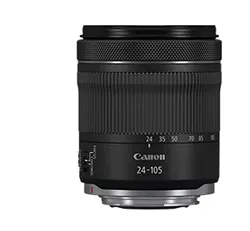
- RF24-105mm F4-7.1 IS STM lens
- Camera Cover R-F-5
- Strap ER-EOS R6 Mark III
- Battery Charger LC-E6
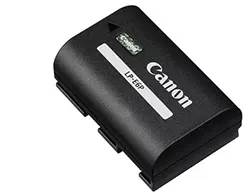
- Battery Pack LP-E6P